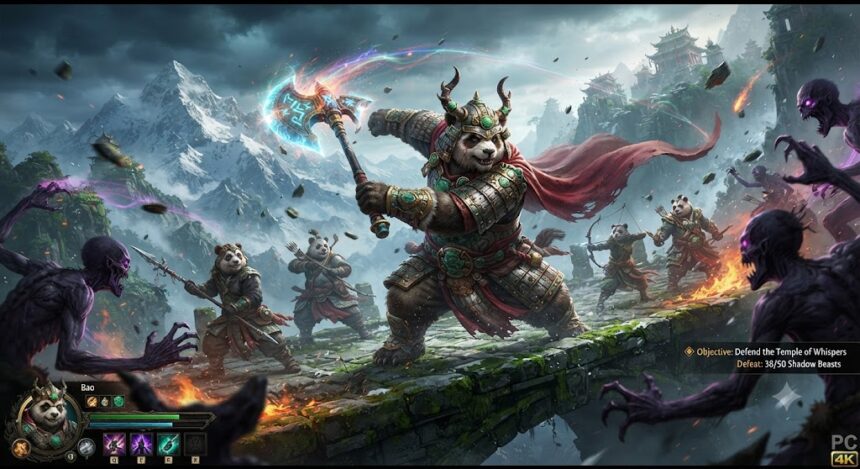
The Mythic Warriors Pandas version PC search usually comes from players who have seen the mobile game and want a larger screen, steadier performance, and more convenient controls. The important detail is that Mythic Warriors: Pandas is now listed for both Android and Windows through Google Play, so PC players are no longer limited to unofficial APK workarounds or Android emulation. s, Mythic Warriors Pandas version PC means running the verified Google Play release on Windows rather than finding a separate desktop remake. That does not mean every download method offers the same experience. The official Google Play Games route, third-party Android emulators, and cloud-based options have different hardware requirements, control systems, account risks, and performance trade-offs.
This guide explains what the Mythic Warriors Pandas version PC actually is, how to install it safely, and how to avoid the problems that commonly waste players’ time.
What Is the Mythic Warriors Pandas Version PC?
Mythic Warriors: Pandas is a fantasy action and idle RPG built around rapid boss fights, automatic combat, character progression, divine transformations, collectible Beast Souls, multiplayer demon hunts, and equipment upgrades. The official store description highlights three playable archetypes: the Dragonstaff Mage, a sword-wielding Warrior, and the Panda Rogue. Mythic Warriors Pandas version PC** can be slightly misleading because it sounds like a completely separate desktop edition. The verified Windows option is distributed through Google Play Games on PC, while emulator platforms run the Android build inside a virtual Android environment. Based on the available store listings, users should not assume that random websites offering a separate “PC EXE” are providing an official standalone client. t a glance:**
- The game is officially listed for Android and Windows on Google Play.
- It is a free-to-download title with in-app purchases.
- Its core loop combines automatic combat with active upgrades, bosses, events, gear, and multiplayer activities.
- Windows users can use Google Play Games on PC.
- Windows and Mac users can also use a reputable Android emulator.
- Third-party APK and modified-client downloads should be avoided.
Is There an Official Mythic Warriors Pandas Version PC?
Yes. Google Play has a dedicated PC section, which confirms that users can install Mythic Warriors: Pandas on their PC via Google Play. Additionally, the Google Play listing shows that Windows is an officially supported platform for Mythic Warriors: Pandas, and the section was updated on October 29, 2025. Interpretation: The Mythic Warriors Pandas PC version is distributed through Google Play Games on PC, not a separate native Windows installer. It is critical to distinguish between Google Play Games on PC, which installs Android-compatible apps distributed via Google Play, and a native game, which would typically have a dedicated publisher launcher, Steam page, Epic Games Store presence, or downloadable Windows installer.
How to Download Mythic Warriors Pandas Version PC Officially
Start with the official Google Play Games on PC website and install its Windows client. Sign in with the Google account you want associated with the game, search for Mythic Warriors: Pandas, confirm that the publisher information and game artwork match the official listing, and select the install option. Google’s platform will handle the compatible game package and subsequent updates. hic Warriors Pandas version PC** installation is only the first step. Before investing heavily in the Mythic Warriors Pandas version PC, bind or secure your in-game account through every account-protection option the game provides. Do not assume that progress will transfer solely because you used the same Google email on two devices. Test synchronization between mobile and PC early, before making purchases or building substantial progress.
Official Installation Steps
- Download Google Play Games on PC from Google’s official page.
- Run the installer using a Windows administrator account.
- Enable hardware virtualization if the installer requests it.
- Sign in to Google Play Games.
- Search for Mythic Warriors: Pandas.
- Verify the official listing before selecting Install.
- Launch the game and complete any additional resource download.
- Bind the game account and test whether your mobile progress appears.
Mythic Warriors Pandas Version PC System Requirements
Google’s current minimum requirements for Google Play Games on PC include Windows 10 version 2004, an SSD with at least 10 GB of available space, 8 GB of RAM, four physical CPU cores, Intel UHD Graphics 630 or comparable graphics, administrator access, and hardware virtualization. A stronger gaming-class GPU is recommended for better performance. cations are platform minimums, not a promise that every PC will deliver flawless gameplay. For a smoother Mythic Warriors Pandas version PC experience, 16 GB of RAM, a modern four- or six-core processor, updated graphics drivers, and additional free SSD space are sensible targets. Background browsers, recording tools, antivirus scans, and Windows updates can otherwise compete with the game for memory, CPU time, and disk access.
| Component | Official Google Play Games Minimum | Practical Target |
|---|---|---|
| Operating system | Windows 10 v2004 | Updated Windows 10 or Windows 11 |
| Memory | 8 GB RAM | 16 GB RAM |
| Storage | SSD with 10 GB free | SSD with 20 GB or more free |
| Processor | Four physical CPU cores | Modern four- to six-core CPU |
| Graphics | Intel UHD 630 or similar | Recent integrated or dedicated GPU |
| Virtualization | Required | Enabled in BIOS or UEFI |
| Account rights | Windows administrator | Administrator access during setup |
Playing Through an Android Emulator
A reputable emulator is the main alternative when Google Play Games does not support the user’s region, hardware, preferred feature set, or operating system. BlueStacks, for example, provides a dedicated Mythic Warriors: Pandas page and documents installation through the built-in Google Play Store. It also supports Windows and macOS, which makes it relevant for players who cannot use Google’s Windows-only PC client. hic Warriors Pandas version PC**, an emulator can also provide keyboard mapping, multiple instances, Eco Mode, higher frame-rate options, macros, and real-time translation. Those features are emulator capabilities rather than official game mechanics. Players should use automation cautiously because excessive scripting may violate a game’s rules even when the emulator technically provides the function. s Installation Method
Download BlueStacks from its official website, install it, sign in to the Google Play Store, search for Mythic Warriors: Pandas, and install the game from the verified store result. BlueStacks lists at least 4 GB of RAM and 10 GB of free storage among its minimum requirements, although more memory is preferable for stable multitasking. y Games vs. Emulator: Which Is Better?
For most Windows users, Google Play Games should be the first choice because it is the official distribution route, has a dedicated PC listing, and reduces dependence on a third-party Android environment. It is usually the cleaner option for players who simply want to install the Mythic Warriors Pandas version PC, sign in, and play without managing emulator instances or Android settings. ecomes more attractive when a player needs macOS support, custom keyboard mapping, multi-instance tools, translation, or granular performance controls. The trade-off is additional software overhead and more settings to troubleshoot. The best choice therefore depends less on marketing claims and more on the player’s hardware, operating system, and need for emulator-specific features.
| Feature | Google Play Games on PC | Android Emulator |
| Distribution | Official Google platform | Third-party platform |
| Windows support | Yes | Yes |
| macOS support | No | Available through some emulators |
| Setup complexity | Usually lower | Moderate |
| Keyboard mapping | Platform or game dependent | Highly customizable |
| Multi-instance features | Limited or platform dependent | Commonly available |
| Resource use | Generally streamlined | Can be heavier |
| Best for | Straightforward official play | Advanced controls and flexibility |
What the PC Experience Changes
The main advantage of the Mythic Warriors Pandas version PC is visibility. Boss animations, upgrade menus, equipment comparisons, event objectives, and notification markers are easier to inspect on a larger display. Long sessions can also feel more comfortable when the game is not consuming phone battery or interrupting calls and messages.
PC play does not fundamentally redesign the game’s progression model. The official description still presents automatic combat, hands-free progression, boss rushes, divine weapons, Beast Souls, transformations, and cooperative demon hunts as the main systems. A keyboard and mouse may make menu navigation more convenient, but they do not turn the game into a traditional skill-based PC action RPG. ystems New Players Should Understand
The Mythic Warriors Pandas version PC rewards power growth through repeated upgrades rather than precise manual combat alone. Players collect gear and artifacts, increase character strength, unlock divine power, gather Beast Souls, and challenge increasingly difficult bosses. Multiplayer activities add cooperative objectives, while competitive systems can create pressure to keep improving. rly-game strategy is to avoid upgrading every available item simply because a notification appears. Prioritize the character and equipment that produce the greatest measurable power increase, save scarce currencies until their purpose is clear, and review event deadlines before spending resources. This reduces the common idle-RPG problem of exhausting valuable materials on temporary upgrades.
Character Choice and Build Direction
The official listing presents the Dragonstaff Mage, Warrior, and Panda Rogue as distinct combat identities. Choose the archetype whose animations and progression style you actually enjoy, then concentrate early resources instead of constantly switching. The strongest long-term option can change with balance updates, so permanent tier-list claims should be treated cautiously. es, Beast Souls, and Divine Power
Boss battles are positioned as a major source of high-tier equipment and divine weapons, while Beast Souls contribute to a bestiary-style power system. Divine transformation provides another combat power spike. In practice, players should review which upgrade system is blocking progress rather than spreading resources evenly across every menu. e Settings for Smoother Gameplay
The Mythic Warriors Pandas version PC setup can run poorly even on compatible hardware when background processes consume resources. If the Mythic Warriors Pandas version PC stutters, begin with the least disruptive fixes: close memory-heavy browser tabs, pause downloads, update the graphics driver, confirm that the game is installed on an SSD, and restart the PC.
Then lower the resolution or frame-rate settings one step at a time. Changing several settings simultaneously makes it difficult to identify the real bottleneck. Emulator users should also avoid assigning every CPU core or nearly all available RAM to the virtual device because Windows still needs resources to remain stable.
Recommended optimization checklist:
- Enable CPU virtualization in BIOS or UEFI.
- Use an SSD rather than a mechanical hard drive.
- Keep at least 15–20 GB of free storage.
- Update GPU drivers through the hardware manufacturer.
- Disable unnecessary overlays and recording software.
- Use a wired or stable 5 GHz or Wi-Fi 6 connection for multiplayer.
- Reduce emulator resolution before disabling every visual setting.
- Restart the client after major game updates.
- Avoid running multiple emulator instances on low-memory PCs.
Common Installation and Launch Problems
When the Mythic Warriors Pandas version PC does not install, first compare the machine with Google’s official requirements. Missing virtualization, insufficient SSD space, an outdated Windows build, unsupported graphics hardware, or lack of administrator permissions can block Google Play Games before the game itself launches. on succeeds but the game freezes, clear temporary client data, restart Windows, repair or reinstall the platform, and check whether the problem began after a game update. Avoid downloading replacement DLL files, modified APKs, “unlocked” clients, or unofficial patches. They can compromise accounts and make troubleshooting far more difficult.
Black Screen or Immediate Crash
Update the graphics driver, disable conflicting overlays, confirm that virtualization is enabled, and test a lower resolution. Emulator users should also switch the graphics renderer between available DirectX and OpenGL options, but only change one setting at a time.
Game Not Found in the PC Store
Availability can vary by account, region, device compatibility, and platform rollout. Confirm that Google Play Games is updated and search for the exact title, “Mythic Warriors: Pandas.” When the official PC listing is unavailable to your account, a reputable emulator using the normal Google Play Store is safer than an APK mirror.
Progress Missing After Login
Stop before creating substantial new progress on the wrong server or account. Check the selected region, server, sign-in method, and any guest-account binding options. Contact the game’s official support channel if the original account remains inaccessible; the store listings identify the official Facebook page as a contact route. on, Privacy, and Trust Considerations
The game is free to download but includes in-app purchases, and player reviews on the official stores describe a noticeable competitive spending incentive. Reviews are subjective, yet they are useful warning signals for anyone entering a progression-heavy multiplayer RPG. Set a fixed monthly limit, disable frictionless purchases, and judge the game’s free progression before buying premium bundles. data-safety section says the app may share app information, performance data, and device identifiers. It may also collect personal information, photos, videos, and other data, while the listing’s declaration states that data is not encrypted. Players evaluating the Mythic Warriors Pandas version PC should read the current data-safety details themselves because developer disclosures can change. Warriors Pandas Version PC Worth Playing?
The Mythic Warriors Pandas version PC is a reasonable fit for players who enjoy visually busy fantasy RPGs, automatic battles, persistent upgrade systems, boss farming, divine transformations, and competitive progression. The PC option improves convenience and screen space, while the official Windows listing removes much of the uncertainty that previously surrounded playing a mobile-first title on desktop. ss appealing to players seeking fully manual combat, a one-time purchase, deep offline progression, or a traditional native PC RPG structure. The Mythic Warriors Pandas version PC should be approached as a mobile-designed live-service RPG running on Windows, not as a separate premium desktop remake.
Frequently Asked Questions
Is Mythic Warriors: Pandas officially available on PC?
Yes. Google Play provides a dedicated PC store listing, and the main game page identifies Windows availability. The official route is Google Play Games on PC, so users should prioritize that option over websites advertising unknown EXE files. thic Warriors Pandas version PC free?
The game is free to download, but it contains in-app purchases. Competitive and progression-focused systems may encourage spending, so players should establish a budget and test the free experience before purchasing bundles. y Mythic Warriors: Pandas on a Mac?
The Apple App Store says the iPhone and iPad app is not verified for macOS. A Mac-compatible Android emulator such as BlueStacks may provide an alternative, and BlueStacks advertises support for Mythic Warriors: Pandas on PC and Mac. Compatibility will depend on the Mac model, operating system, and emulator version. the minimum requirements for the official PC method?
Google requires Windows 10 version 2004, 8 GB of RAM, four physical CPU cores, an SSD with 10 GB free, Intel UHD 630-class graphics or comparable hardware, administrator access, and enabled hardware virtualization for Google Play Games on PC. Play Games better than BlueStacks for this game?
Google Play Games is the better first choice for most compatible Windows PCs because it is the official PC distribution route. BlueStacks is more flexible for Mac users and players who need advanced keyboard mapping, multi-instance tools, Eco Mode, macros, or translation, but it adds emulator overhead and extra configuration. : The Safest Way to Start
To begin with the Mythic Warriors Pandas version PC safely, install the Mythic Warriors Pandas version PC through Google Play Games first, confirm that your computer meets the official requirements, and secure your account before spending money or investing hours in progression. Use an established emulator only when the official Windows method is unavailable or when you specifically need emulator features.
Once the game is running, focus on one build, preserve scarce resources, monitor event deadlines, and adjust performance settings gradually. Most importantly, avoid unofficial PC installers and modified APKs. The verified Google Play listing already provides a legitimate route, so there is no practical reason to risk an account or computer for an untrusted download.