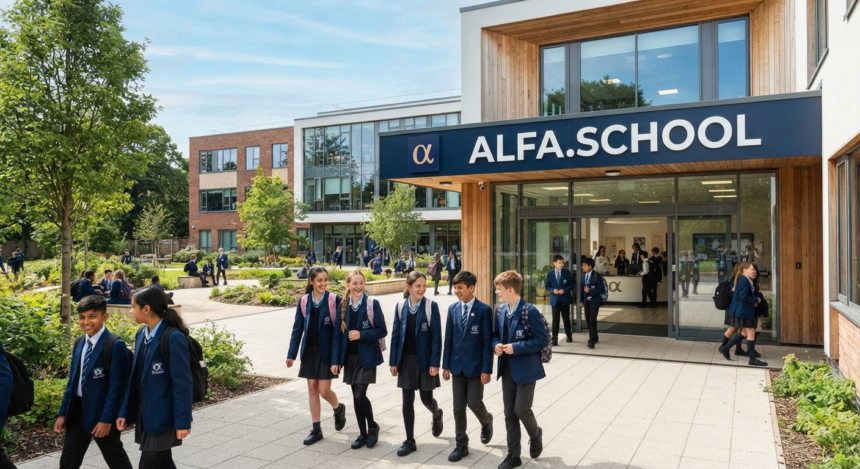
If you searched for Alfa.schoology, you are probably trying to reach Alfa Fundación’s online learning portal, find an assignment, check grades, or understand how the platform works. The most important fact is also the one many competing pages miss: this is not a separate “next-generation” learning management system. It is Alfa Fundación’s institution-specific implementation of PowerSchool Schoology Learning, accessed through its own Schoology subdomain.
That distinction matters. It helps students and families avoid misleading third-party pages, gives teachers a clearer idea of what features actually come from Schoology, and prevents people from confusing an organization-specific portal with a standalone software product.
What Is Alfa.schoology?
Alfa.schoology is best understood as the Schoology Learning environment associated with Alfa Fundación in Monterrey, Mexico. The live Schoology login page identifies the organization as “Alfa Fundacion Monterrey, MX,” while the official portal is hosted under the Schoology domain at alfafundacion.schoology.com.
Schoology itself is a learning management system owned by PowerSchool. PowerSchool describes Schoology Learning as a K–12 platform that brings teachers, students, families, courses, assignments, communication, and learning resources into a centralized hub.
So the cleanest definition is simple: Alfa.schoology is Alfa Fundación’s access point to Schoology, not an independent LMS brand. That is the key distinction to remember whenever you encounter articles describing it as an entirely separate educational technology product.
Why the name causes so much confusion
Search results contain pages that describe “Schoology Alfa” as an upgraded, AI-powered or separate version of Schoology. That characterization is not supported by the official login portal or PowerSchool’s product pages. Several current third-party results make broader claims about an “Alfa” edition or AI-enhanced variant, which is exactly why source-checking matters.
What can be verified is more specific. Alfa Fundación has an institution-branded Schoology login, and PowerSchool provides the underlying learning platform. Treat claims about unique “Alfa-only” AI engines, proprietary predictive analytics, or unreleased features cautiously unless Alfa Fundación or PowerSchool documents them directly.
Who Is Alfa Fundación?
Understanding Alfa.schoology makes more sense when you understand the institution behind the portal. Alfa Fundación describes its educational project as a long-term program for talented students from low-income families, combining extracurricular education, a three-year high school program, and scholarship support for university study.
Its pedagogical model emphasizes active learning, self-managed learning, collaboration, contextual learning, experiential learning, and the use of technology to support student-centered education.
That context is important because an LMS is not the educational model by itself. The platform organizes digital coursework and communication; the institution determines curriculum, teaching methods, academic expectations, access rules, and how specific Schoology functions are used.
Alfa.schoology Login: The Safest Way to Access Your Account
The safest route is to use the official institution-specific Schoology address supplied by Alfa Fundación or your school administrator. As of August 2026, the verified login page appears at alfafundacion.schoology.com/login/ and displays the Alfa Fundación organization name.
A typical sign-in flow is straightforward. The exact authentication screen can vary according to the account and sign-in method configured by the institution.
- Open the official Alfa Fundación Schoology portal.
- Enter the email or username assigned to you.
- Enter your password.
- Use the institution’s configured sign-in method if single sign-on is enabled.
- After authentication, open your courses, assignments, calendar, messages, or grades.
Do not enter school credentials into a blog, “login helper,” mirror, or third-party page merely because it ranks for Alfa.schoology. A guide can explain where to go; it should not ask for your password.
How to verify you are on the right login page
Before typing credentials, check the browser address carefully. The official institution portal should be on a legitimate schoology.com subdomain or another address explicitly provided by Alfa Fundación.
Also look for HTTPS and normal browser security indicators. If the domain contains misspellings, added words, unusual extensions, or a form embedded on an unrelated website, stop and navigate through the institution’s official channels instead.
What You Can Do Inside Alfa.schoology
The features available to an individual user depend on role, course setup, permissions, and Alfa Fundación’s configuration. Still, the core Schoology platform supports the workflows most users expect from a modern LMS.
Courses, materials, and assignments
PowerSchool positions Schoology as a hub for curriculum, assignments, assessments, communication, and integrated learning tools. Teachers can organize course materials, post assignments and updates, use rich-text content, and manage learning activities from within their courses.
For a student, that usually means one place to check what is being taught, what is due, and what has already been submitted. The practical benefit is less fragmentation: fewer deadlines buried across separate email threads, documents, or messaging apps.
Grades and teacher feedback
Schoology includes gradebook functionality, while parent-facing PowerSchool guidance explains that grades can be viewed from a grade report or within individual courses. PowerSchool also notes that the official grade of record may depend on whether a school uses the Schoology gradebook directly or passes grades to a separate Student Information System.
That caveat matters for Alfa Fundación users. A score visible inside Schoology may be current classroom feedback, while an institution could maintain final or official averages elsewhere. When the two differ, follow Alfa Fundación’s academic policy rather than assuming one screen is authoritative.
Calendar, deadlines, and upcoming work
An LMS becomes far more useful when students treat it as a planning system, not just a place to upload homework. Schoology’s navigation and course views surface upcoming coursework and calendar information, helping users see deadlines across multiple classes.
A useful habit is to check upcoming work at the start and end of each school day. That takes very little time but reduces the risk of discovering an assignment only hours before it is due.
Messages, announcements, and groups
Schoology supports course updates, groups, and communication features. PowerSchool’s parent resources also document messaging, though messaging availability and preferred communication channels can depend on the institution’s settings.
This is another reason not to assume every generic Schoology tutorial maps perfectly to Alfa.schoology. The underlying feature may exist, but Alfa Fundación controls how accounts, roles, groups, integrations, and communication policies are configured.
Alfa.schoology for Students: A Better Daily Workflow
The strongest way to use Alfa.schoology is to build a repeatable routine around it. Logging in only when a teacher reminds you turns the LMS into a reactive tool; checking it consistently turns it into an academic control center.
Try this simple workflow. The goal is not to spend more time inside the LMS, but to use a few minutes strategically so important academic tasks do not get overlooked.
- Morning: review announcements, calendar items, and due work.
- Before class: open the relevant course and scan materials or instructions.
- After completing work: confirm the submission status rather than assuming a file uploaded successfully.
- After grading: read teacher comments, not just the numerical score.
- End of day: check tomorrow’s deadlines and prepare required files or materials.
This routine sounds basic. It is also exactly where much of the real value comes from: visibility, fewer missed tasks, clearer feedback loops, and less last-minute searching.
Alfa.schoology for Parents and Families
Schoology can provide families with visibility into a student’s courses and learning activity. PowerSchool’s parent guidance explains that parent users can view student activity, coursework, grades, and course information when the school has provided the appropriate account access.
Parents should remember that access is observational, not a substitute for the student account. PowerSchool specifically notes that Parent View can show content and class activity, but parents cannot create or submit student work from that view.
For Alfa.schoology, the practical rule is to use the access method and permissions issued by Alfa Fundación. If a child, course, grade, or message option is missing, contact the institution instead of creating duplicate accounts or following unofficial setup instructions.
Alfa.schoology for Teachers and Educators
For educators, Schoology is designed to reduce the number of disconnected systems needed for routine instructional management. PowerSchool documents tools for posting assignments, course updates, discussions, assessments, privacy settings, groups, attendance, and lesson planning.
The platform also supports integration with Student Information Systems and third-party tools. PowerSchool says traditional grades can synchronize with major SIS providers, with additional capabilities available in the broader PowerSchool ecosystem.
The best implementation principle is consistency. If every course uses radically different folder names, due-date conventions, or announcement practices, the LMS can become harder to navigate even when the technology works perfectly.
Mobile Access: Can You Use Alfa.schoology on a Phone?
PowerSchool provides Schoology mobile access and explicitly directs families to download the Schoology app from their device’s app store. Its global product materials also state that families can engage with Schoology online or through the mobile app.
For mobile access, use the official Schoology app and select or enter the institution specified by Alfa Fundación. Avoid similarly named unofficial applications.
Mobile access is useful for checking announcements, messages, and deadlines, but complex assignments may still be easier to complete on a laptop or desktop. Before submitting important work from a phone, confirm that the file attached correctly and that the submission status changed as expected.
Common Alfa.schoology Problems and How to Fix Them
Most access problems fall into a few predictable categories. Troubleshoot the simplest possibilities first.
1. Wrong username or password
Re-enter your credentials carefully and check whether your browser is autofilling an old password. If your institution uses single sign-on, use the correct school authentication route rather than repeatedly trying a standard password form.
2. You are on the wrong Schoology portal
Schoology serves many institutions, so a generic login may ask you to select a school. If you are part of Alfa Fundación, use the institution-specific portal supplied by the organization instead of guessing from search results.
3. A course or assignment is missing
First check whether you are signed into the correct account. Then review the course list, calendar, and announcements; if the content is still absent, the teacher or administrator may need to publish, assign, or enroll you in the relevant material.
4. A file will not upload
Check the file format, size, connection, and whether the assignment is still accepting submissions. If a deadline is close, take a screenshot of the error and notify the instructor through the approved communication channel.
5. Grades look different in another system
Do not assume this is automatically an error. Schoology may pass grade information to another SIS, and PowerSchool advises families to confirm which gradebook their district or institution considers official.
Privacy and Account Safety on Alfa.schoology
Educational accounts can contain names, coursework, grades, messages, and other sensitive school information. Good security habits are therefore part of using Alfa.schoology responsibly.
Never share your password with classmates or enter it into unofficial “grade checker” tools. Use a strong, unique password where the institution allows it, sign out on shared devices, and be suspicious of messages that pressure you to “verify” an account through an unfamiliar link.
PowerSchool states that its Schoology environment uses security practices including cloud security controls, security-by-design processes, third-party penetration testing, and a responsible disclosure program. Even so, institutional security also depends on account configuration and user behavior, so follow Alfa Fundación’s own technology and privacy policies.
What Makes This Portal Different From Generic Schoology?
Technically, the foundation and the platform play different roles. Schoology Learning supplies the LMS infrastructure; Alfa Fundación supplies the educational program, account administration, curriculum, user policies, and institutional context.
That means Alfa.schoology may look or behave differently from Schoology at another school even when both run on the same underlying platform. Course structures, enabled apps, authentication methods, grading practices, groups, and parent access can all vary by implementation.
This also explains why copying instructions from another district can fail. When in doubt, prioritize Alfa Fundación’s own guidance, then PowerSchool’s official Schoology documentation, and only then use third-party tutorials for general orientation.
How to Get More Value From Alfa.schoology
The best results do not come from clicking every feature. They come from using a few high-value functions consistently.
- Make the calendar and upcoming work your daily planning view.
- Read the full assignment instructions before starting.
- Confirm every upload and submission.
- Use teacher feedback to create a short improvement checklist.
- Keep course files named clearly so resubmissions are easy.
- Adjust notifications so important updates stand out rather than becoming background noise.
- Use official support channels when access, enrollment, or permissions appear wrong.
For teachers, standardize course organization wherever possible. For parents, focus on patterns—missing work, repeated difficulty, changing performance—rather than reacting to every individual score.
FAQ About Alfa.schoology
Is Alfa.schoology a separate version of Schoology?
No evidence from the official sources indicates that it is a standalone Schoology product. The verified portal is an Alfa Fundación institution-specific Schoology login, while PowerSchool provides the underlying Schoology Learning platform.
What is the official Alfa Fundación Schoology login?
The verified Schoology portal is hosted at alfafundacion.schoology.com, with a login page identifying Alfa Fundacion Monterrey, MX. Use the URL provided by the institution and avoid entering credentials on third-party websites.
Can students check grades and assignments in Schoology?
Yes. Schoology supports courses, assignments, assessments, grade information, feedback, calendars, and communication workflows. The exact items visible in an individual account depend on course setup and institutional permissions.
Can parents use Alfa.schoology?
Schoology supports parent accounts and parent views, including access to student activity and grade information, when the institution enables and provisions that access. Alfa Fundación users should follow the organization’s own account setup process rather than assuming a generic parent registration method will work.
What should I do if Alfa.schoology is not working?
First confirm the URL, account, password, and sign-in method. If the portal loads but courses or permissions are wrong, contact the relevant teacher or Alfa Fundación administrator because enrollment and account settings are controlled at the institution level; for broader Schoology product issues, PowerSchool’s official support resources are the appropriate reference.
Final Takeaway
Alfa.schoology is not a mysterious new ed-tech platform. It is the Alfa Fundación Schoology environment built on PowerSchool’s established learning management system, and its real value comes from giving authorized users one structured place to access courses, assignments, grades, feedback, communication, and academic planning.
If you are a student or parent, bookmark the official portal, verify the domain before signing in, and make the dashboard and calendar part of your daily routine. If something looks wrong, use Alfa Fundación’s official support path rather than relying on a third-party login page. That simple approach is safer, faster, and far more useful than treating every search result about Alfa.schoology as equally trustworthy.