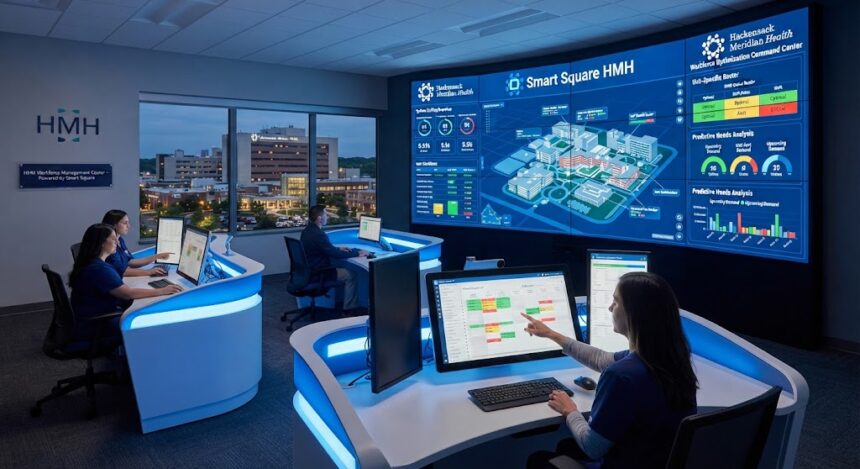
Smart Square HMHN is the workforce scheduling portal associated with Hackensack Meridian Health team members, particularly clinical teams that need to view schedules, manage open shifts, and coordinate staffing. The search term can be confusing because official Hackensack Meridian Health branding usually appears as HMH, while “HMHN” also appears across the network’s employee domains and email addresses.
This guide explains what the platform is, how to reach the legitimate sign-in page, what employees and managers can generally do inside it, and how to resolve common access problems. It also separates verified capabilities from claims repeated by unofficial login websites.
What Is Smart Square HMHN?
The organization offers Smart Square HMHN that stands for the application of Smart Square by Hackensack Meridian Health. The Meridian portal offers two options, including proceeding to the primary sign-in page or accessing the alternate sign-in page.
Hackensack Meridian Health’s Smart Square is not an employee intranet or a patient portal. Instead, it focuses on workforce planning to ensure there are enough staff members, manage vacancies, and allow authorized personnel to access scheduling tools. The software was acquired by symplr from AMN Healthcare in July 2025. According to the company, Smart Square is a cloud-based healthcare staffing solution that uses predictive analytics, intelligent staff scheduling, open-shift management, and workforce planning.
Why the HMH and HMHN Names Both Appear
Hackensack Meridian Health publicly uses HMH as its primary brand. However, the organisation also uses the HMHN domain for services, employee resources, and email addresses, which explains why users frequently search for Smart Square HMHN rather than Smart Square HMH.
This naming difference does not necessarily indicate two separate scheduling systems. In most cases, the user is looking for the same Meridian Smart Square environment, but spelling variations can lead to unofficial pages or outdated instructions.
Official Smart Square HMHN Login Process
The safest way to access Smart Square HMHN is through a trusted HMH bookmark, the organisation’s internal resources, or the verified Meridian Smart Square portal. The official page currently offers a primary Continue to SmartSquare option and an Alternate Login path.
A typical sign-in flow looks like this:
- Open the verified Meridian Smart Square page in a modern browser.
- Select Continue to SmartSquare when using the organisation’s standard sign-on process.
- Choose Alternate Login only when your department or account instructions require it.
- Enter your authorised credentials on the secure sign-in page.
- Complete any identity-verification step presented by HMH.
- Confirm that your name, department, and schedule context are correct before making requests.
The alternate page visibly includes login and password fields plus a Forgot your password? option. That recovery link applies to the alternate account route; it should not be assumed to reset every HMH network credential.
Security Checks Before Entering Credentials
Login-related keywords often attract copycat websites. Before entering a username or password, check the domain carefully and avoid pages that ask you to install browser extensions, complete surveys, call an unrelated support number, or submit credentials into a third-party form.
Use these practical checks:
- Confirm that the page belongs to the official Smart Square portal or an HMH-controlled resource.
- Look for a secure HTTPS connection.
- Do not reuse credentials on third-party “guide” websites.
- Never approve an unexpected multifactor-authentication prompt.
- Sign out after using a shared workstation.
- Contact HMH support through an internal, trusted channel when the login route looks unfamiliar.
HMH’s MyHMH mobile app provides team members with access to the intranet, MySupport, MyWay-PeopleSoft, PolicyStat, careers, and selected business tools. That makes the intranet or MySupport a more reliable support route than an unaffiliated login blog.
What Employees Can Do in Smart Square HMHN
The exact menu options in Smart Square HMHN can vary by facility, department, role, union rules, and user permissions. A staff member may see personal scheduling tools, while a nurse manager or staffing office may have broader dashboards, approval functions, and enterprise views.
Common Smart Square capabilities include:
- Schedule viewing: Review assigned shifts and published scheduling periods.
- Self-scheduling: Select preferred shifts within configured coverage and fairness rules.
- Open-shift management: View or express interest in unfilled shifts.
- Cyclic scheduling: Support repeating scheduling patterns where the organisation uses them.
- On-call scheduling: Coordinate pre-planned on-call assignments.
- Rapid shift recruitment: Notify eligible staff about urgent vacancies.
- Staffing dashboards: Give leaders a consolidated view of coverage, utilisation, and productivity.
- Predictive scheduling: Forecast demand so schedules can be built before gaps become urgent.
symplr says Smart Square can forecast patient volume up to 120 days ahead, supports self-scheduling and cyclic scheduling, and integrates with more than 30 HR, payroll, timekeeping, and electronic medical record systems. These are product-level capabilities; an individual HMH user may not have access to every module.
Viewing a Schedule Versus Changing It
Seeing a shift does not always mean it can be edited. Published schedules, locked periods, skill requirements, minimum staffing rules, overtime limits, and manager approval can restrict what an employee can request.
Similarly, selecting an open shift is not necessarily final confirmation. Treat the shift as approved only after the platform displays the appropriate status or your department confirms the assignment.
Shift Swaps, Open Shifts and Time-Off Requests
Smart Square HMHN may allow eligible users to request a swap, volunteer for open hours, or submit scheduling preferences. The workflow can differ between units, so employees should follow the labels and approval rules displayed in their own account rather than relying on screenshots from another hospital.
Time-off information may also involve a separate HMH system. Hackensack Meridian Health identifies MyWay-PeopleSoft as a resource for PTO balances and paycheck information, while Smart Square is oriented toward scheduling and workforce deployment.
Why Hackensack Meridian Health Uses Smart Square
Healthcare scheduling is more complex than placing names into a calendar. Hospitals must align patient demand with staff availability, qualifications, unit requirements, employment commitments, budget limits, and last-minute changes.
Hackensack Meridian Health adopted Smart Square to replace outdated scheduling processes that lacked capabilities such as self-scheduling and effective platform integration. According to symplr’s HMH case study, implementation began with five hospitals and later expanded during the COVID-19 pandemic.
The organisation focused on FTE leakage, meaning hours employees were expected to work under their full-time-equivalent commitments but did not. The vendor’s case study reports a 6.5% reduction in FTE leakage compared with the previous year and $616,000 in annual savings after managers used scheduling data to improve adherence.
Those figures are more meaningful than vague promises about efficiency. They demonstrate how a scheduling platform can produce value when leaders choose a specific workforce metric, monitor it consistently, and work with department managers to correct avoidable gaps.
Smart Square HMHN Benefits for Staff and Managers
For employees, the main benefit of Smart Square HMHN is visibility. A central schedule can reduce uncertainty, make open hours easier to find, and create a documented workflow for preferences or requests.
For managers, the value is operational control. Dashboards can expose coverage problems earlier, show how staffing compares with demand, and help teams decide whether to use core staff, float pools, on-call resources, incentives, or premium labour.
Potential benefits include:
- Earlier identification of understaffed shifts
- Greater employee participation through self-scheduling
- Less manual calling and messaging to fill vacancies
- Better visibility across departments and facilities
- More consistent use of full-time staffing commitments
- Reduced dependence on overtime or expensive last-minute labour
- Clearer data for workforce and budget decisions
The platform does not create these outcomes automatically. Forecasts need accurate inputs, scheduling rules require maintenance, managers need training, and staff must use the request workflow correctly.
How Predictive Scheduling Works
Traditional staffing methods frequently rely on fixed ratios, recent experience, and manual adjustments. Predictive scheduling adds historical demand, patient-volume trends, staffing standards, and current workforce information to estimate future coverage requirements.
According to symplr, Smart Square’s predictive model uses mathematical modelling and machine learning. Forecasts are updated regularly and passed through staffing matrices for individual units or service areas, allowing managers to compare expected patient demand with available staff supply.
This does not mean an algorithm makes every staffing decision. Forecasts help managers identify potential shortages, but local leaders still need to consider employee competencies, leave, patient acuity, call-outs, organisational policies, and unexpected clinical events.
For Smart Square HMHN users, predictive scheduling may appear indirectly through open shifts, staffing recommendations, or manager dashboards. Frontline employees may not see the forecasting engine itself, even though its output affects available shifts and schedule planning.
Common Smart Square HMHN Login Problems and Fixes
Access issues are often caused by the login route, browser state, identity provider, or account permissions rather than the scheduling application itself. Work through the following checks in order.
1. The Wrong Portal Opens
Search results may send users to an unaffiliated guide or a Smart Square environment belonging to another healthcare organisation. Return to your trusted HMH bookmark or internal portal and verify that you are using the Meridian environment.
Do not enter HMH credentials into a page simply because its title contains Smart Square HMHN. Search-engine placement is not proof that a website is operated by HMH or symplr.
2. Single Sign-On Keeps Looping
A stale sign-on session can cause repeated redirects. Close duplicate tabs, sign out of other HMH sessions, reopen the browser, and try the official route again.
A private browsing window can help determine whether cached cookies are involved, but some organisational security tools may not work normally in private mode. Use it as a diagnostic step rather than a permanent workaround.
3. The Page Is Blank or Buttons Do Not Work
Confirm that JavaScript and cookies are enabled, then update the browser and reload the page. Clear site-specific cache and cookies when a normal refresh does not resolve the issue.
Also test from an HMH-approved browser or device. Network restrictions, VPN requirements, pop-up blocking, and endpoint-security policies can affect authentication.
4. The Password Is Rejected
First identify which login route you selected. The alternate Smart Square page offers its own password-recovery link, while standard HMH single sign-on uses Hackensack Meridian Health’s identity environment and may follow a separate recovery process.
Avoid repeatedly guessing the password because enterprise accounts may become locked after failed attempts. Use the approved reset path or contact HMH MySupport through a known internal channel.
5. Multifactor Authentication Fails
Check that your phone has a working internet or mobile connection and that its date and time settings are correct. Authentication applications can fail when device time is inaccurate.
Never approve a prompt you did not initiate. Repeated unexpected authentication requests may indicate that someone else is attempting to use your credentials and should be reported through the organisation’s approved security process.
6. The Schedule Is Empty or Incorrect
A successful login does not guarantee that the account is mapped to the correct unit, role, or scheduling group. Check the selected facility, department, date range, and schedule view.
When information is still missing, capture the error message without exposing patient or confidential data. Send the date, time, device, browser, and affected scheduling period to the appropriate manager or support team.
7. A Shift Request Is Pending
Pending usually means the request has entered an approval workflow. Do not assume a swap, open shift, or time-off request is approved until its status changes.
When the shift is approaching and the request remains unresolved, follow your unit’s escalation procedure. The scheduling portal does not replace direct communication required by attendance, absence, or call-out policies.
Smart Square HMHN Is Not MyChart or MyWay
Three HMH systems are commonly confused:
- Smart Square: Workforce scheduling, staffing, shift visibility, and deployment.
- MyWay-PeopleSoft: Employee information such as PTO balances and paycheck-related access through HMH resources.
- MyChart: Patient-facing access to medical information, appointments, bills, messages, and test results.
HMH describes MyChart as secure online access to patient medical information and care services. It is not the place to manage employee shifts.
Using the right system saves time. When the task concerns a work schedule, start with Smart Square HMHN. When it concerns payroll or PTO balances, check MyWay; when it concerns personal medical care, use MyChart.
What Smart Square HMHN Does Not Guarantee
Smart Square is a decision-support and scheduling platform. It does not guarantee that every employee preference will be accepted, every shift will be filled, or every forecast will match actual patient demand.
Users should also understand these distinctions:
- A submitted request is not the same as an approved request.
- An available shift may still require competency or manager validation.
- A published schedule may change under departmental policy.
- A forecast is an estimate, not a fixed staffing order.
- An employee schedule may not represent final payroll data.
- A successful login does not automatically provide access to every department.
This distinction matters because many third-party articles describe Smart Square as though every feature is universally enabled. Actual access depends on HMH’s configuration, the employee’s role, and local scheduling rules.
Practical Tips for Using Smart Square HMHN Effectively
Check the schedule at consistent times, particularly around publication deadlines and before the next working week. Notifications are useful, but they should not be the only way you confirm an assignment.
Keep your availability and contact information current through the appropriate HMH process. When requesting an open shift, verify the location, unit, start time, required competency, and whether accepting it could trigger overtime or rest-period restrictions.
Managers can get more value from Smart Square HMHN by focusing on a small number of measurable indicators. Examples include open shifts filled in advance, overtime hours, agency utilisation, FTE leakage, schedule changes after publication, and unfilled coverage by unit.
Schedule data should also be reviewed in context. A low overtime figure is not automatically positive when critical shifts remain unfilled, while higher staffing costs may be justified during periods of increased demand or patient complexity.
Most importantly, treat the platform as a system of record for scheduling actions, not as a substitute for clinical judgement or emergency escalation. Urgent staffing risks still require timely human communication.
Privacy and Responsible Use
Only use Smart Square HMHN on devices and networks allowed by HMH policy. Avoid saving passwords in shared browsers, leaving schedules visible on unattended screens, or sending screenshots containing employee information through unapproved messaging services.
Employees should not place patient names, medical details, or other unnecessary confidential information into scheduling notes. Workforce systems should be used for their intended operational purpose and handled according to internal privacy, security, and records policies.
When reporting a technical problem, share only what support needs to reproduce the issue. A browser version, error message, time of failure, and affected schedule period are generally more useful than a screenshot containing sensitive information.
Frequently Asked Questions About Smart Square HMHN
Is Smart Square HMHN only for Hackensack Meridian Health employees?
The Meridian portal is intended for authorised users connected with Hackensack Meridian Health’s workforce operations. Smart Square is also used by other healthcare organisations, but each organisation has its own environment, configuration, and access controls.
Employees should use only the environment provided by their employer. Credentials from one healthcare organisation will not normally provide access to another organisation’s Smart Square portal.
What is the correct Smart Square HMHN login page?
The verified environment is the Meridian Smart Square portal, which currently presents a standard continuation option and an alternate login. The safest route is through an HMH-controlled bookmark, intranet page, or trusted internal instruction rather than a third-party login article.
Always inspect the destination before entering credentials. A website discussing the platform is not necessarily authorised to process employee usernames or passwords.
Can I access Smart Square HMHN from home?
Remote access may be available to authorised users, but the exact requirements can depend on HMH security policy, account type, device approval, network controls, and multifactor authentication. Follow the access method supplied by your department or HMH MySupport.
A page failing on a personal device does not automatically mean the platform is unavailable. The account may require an approved browser, security registration, or organisation-managed authentication method.
Can I reset my HMH password through Smart Square?
The alternate login page includes a password-recovery option, but that does not prove it resets the main HMH network password. Use the recovery process tied to the login route you normally use, and contact official support when you are unsure.
Do not use password-reset services promoted by unrelated websites. Official support should never require you to reveal your complete existing password.
Does Smart Square HMHN automatically approve shift swaps?
Not necessarily. The software can support open-shift and self-scheduling workflows, but approval rules are configured by the organisation and may depend on coverage, credentials, overtime, unit policy, and manager review.
A request should be considered final only when its displayed status confirms approval. Until then, employees remain responsible for following their currently assigned schedule and departmental procedures.
Conclusion
Smart Square HMHN is best understood as Hackensack Meridian Health’s workforce scheduling environment—not a public employee directory, payroll portal, or patient account. It helps authorised teams view schedules, manage staffing requests, fill open shifts, and use predictive data to match workforce supply with operational demand.
Start from a verified HMH or Meridian portal, choose the correct sign-in method, and never submit credentials to an unofficial login guide. Once inside, confirm your department and schedule details, follow the displayed approval workflow, and use MySupport or your manager when access, permissions, or shift information appears wrong.